
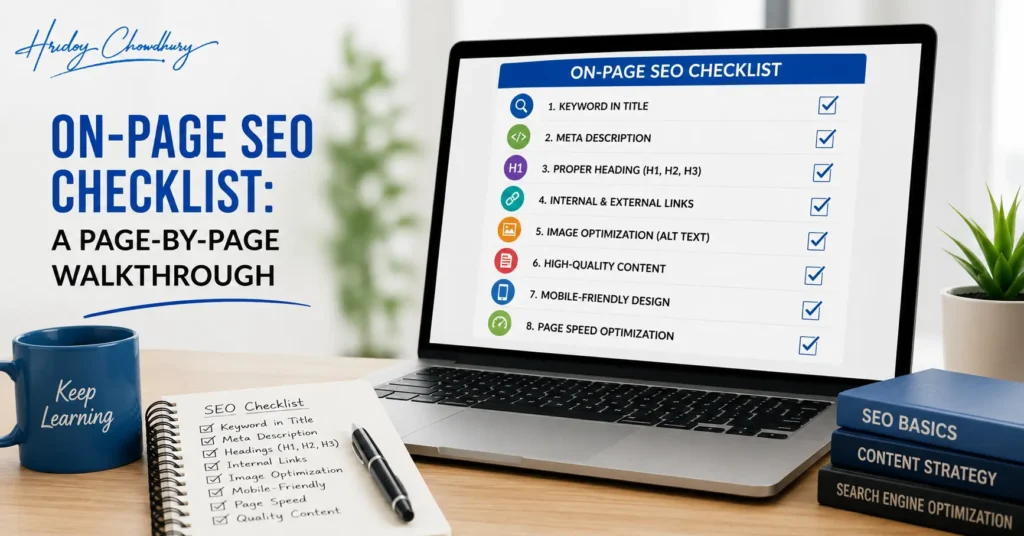
Before you start: confirm the page’s target
Every item below only makes sense once you know what keyword and intent this specific page is targeting. If you haven’t decided that yet, stop and decide it first, either from your keyword research list or by checking what’s currently ranking for the term you have in mind. Running through an on-page checklist without a clear target keyword usually produces a page that’s technically tidy but aimed at nothing in particular.
1. Title tag
- Does it include the primary keyword, naturally, ideally near the front?
- Does it describe what this specific page actually delivers, not just a category?
- Is it under roughly 60 characters so it won’t get cut off in search results?
- Is it different from every other title tag on the site, particularly on similar or near-duplicate pages?
- Would you personally click this over a competitor’s result showing the same intent?
I check this one first because it’s the highest-leverage single field on the page, both for relevance and for click-through rate at whatever position you rank.
2. Meta description
- Does it give a specific, honest reason to click, not generic filler?
- Does it match the intent of the page, action-oriented for transactional pages, informative for content pages?
- Is it under roughly 155 characters?
- Is it unique to this page?
This doesn’t directly affect ranking, but a weak one quietly suppresses clicks at whatever position you’ve earned, which is reason enough to get it right. Full examples of both fields are in my title tags and meta descriptions guide.
3. URL
- Is it short, readable and descriptive, ideally including the primary keyword?
- Does it avoid unnecessary parameters, dates that will look stale, and unnecessary subfolders?
- Is it consistent with the structure of similar pages elsewhere on the site?
URLs are one of the harder things to change later without losing existing rankings, since changing one requires a proper redirect. Get this right before the page goes live if you can.
4. H1 heading
- Is there exactly one H1 on the page?
- Does it match the primary topic and intent, not just repeat the title tag word for word?
- Is it the actual visible headline of the page content, not a hidden or purely stylistic element?
The H1 and the title tag can be similar, but I usually vary them slightly. The title tag is written to earn a click from a search results page; the H1 is written to confirm to someone who’s already clicked that they’re in the right place.
5. Heading structure (H2s, H3s)
- Do H2s break the content into its actual logical sections, not just visual breaks?
- Is the hierarchy consistent, no H3 appearing before the H2 it belongs under?
- Do headings, where relevant, use question phrasing for sections that genuinely answer a distinct question, supporting both readability and eligibility for featured snippets?
I check this by literally reading only the headings top to bottom, ignoring the body text. If that skeleton alone doesn’t make sense as an outline of the page, the structure needs work before anything else matters.
6. Content quality and completeness
- Does the content fully answer what the searcher needs for this specific intent, not just circle around the topic?
- Is the primary keyword and its natural variants present without being forced or repeated unnaturally?
- Is there anything here that couldn’t have been written by any competitor, an original observation, a specific example, a genuine opinion?
- Is the content current and accurate, particularly for anything time-sensitive?
I don’t check word count here at all. A page that fully answers the query in 500 words has passed this step. A page that pads the same answer to 2,000 words with repetition hasn’t, regardless of length.
7. First 100 words
- Does the opening directly address the main question or intent, rather than building up to it with throat-clearing?
- Would a reader, and a search engine, understand what this page is about from the first paragraph alone?
I specifically check the opening separately from the rest of the content because it’s disproportionately important. Search engines weight early content somewhat more heavily, and readers decide whether to keep reading within the first few lines.
8. Internal links
- Does this page link to other genuinely relevant pages on the site, using descriptive anchor text rather than “click here”?
- Do other relevant pages on the site link back to this one? A page with no internal links pointing to it is much harder for both search engines and readers to find.
- Are the anchor texts varied and natural, not the exact same phrase repeated identically across every link?
I run a quick check here for orphan pages specifically, pages with no internal links pointing to them at all, since they’re one of the more common and more overlooked issues I find in audits.
9. Images
- Do file names describe the image, rather than a generic camera-generated name?
- Does alt text genuinely describe the image for accessibility, including the keyword only where it fits naturally?
- Are images compressed so they’re not slowing the page down unnecessarily?
- Does every meaningful image actually have alt text at all? Missing alt text entirely is more common than beginners expect, particularly on pages built with drag-and-drop site builders.
10. Structured data (where relevant)
- Does the page have appropriate schema markup for its content type, Article, FAQ, Product, LocalBusiness, whichever applies?
- Does the markup validate cleanly in Google’s Rich Results Test?
- Does the marked-up data actually match what’s visibly on the page? Mismatched structured data, marking up a price or rating that isn’t genuinely shown to visitors, violates search engine guidelines.
11. Mobile experience
- Does the page display and function properly on a phone screen, not just a desktop browser?
- Are buttons and links large enough to tap accurately without zooming in?
- Does anything important get cut off or hidden on smaller screens?
Since Google primarily evaluates the mobile version of your site for indexing and ranking, this isn’t an optional secondary check. It’s effectively checking the version Google actually sees.
12. Page speed
- Does the page load reasonably quickly, checked with a tool like PageSpeed Insights rather than just how it feels on your own fast connection?
- Are there obvious, fixable causes of slowness, uncompressed images, unnecessary scripts, oversized files?
I don’t expect a beginner to chase a perfect Core Web Vitals score on every page. I do expect an obviously slow page to get fixed before worrying about smaller on-page refinements elsewhere.
How I actually run this during a real audit
I go through this list top to bottom, on one page at a time, and I resist the urge to jump straight to whichever issue looks most interesting first. The order matters because earlier items, title tag, headings, content completeness, tend to matter more for ranking potential than later ones like image file names, and fixing a low-impact item first while a bigger one sits unaddressed wastes the limited time most beginners have for this work.
For a site with many pages, I don’t run this full checklist on everything at once. I prioritize the pages that matter most commercially or that are closest to ranking well already, since a page sitting on page two of results often needs a smaller nudge to move up than a brand-new page needs to rank at all.
What this checklist can’t fix
On-page SEO gives a page the best possible chance to compete for its target keyword. It doesn’t fix underlying technical crawling or indexing problems, and it doesn’t build the external authority that competitive terms often require. A page that passes every item on this list can still lose to a competitor with stronger backlinks and years of accumulated trust. Treat this checklist as necessary, not sufficient.
Where this fits in the bigger picture
On-page fundamentals are one piece of the full sequence covered in the SEO for beginners guide, sitting alongside technical SEO, content strategy and off-page authority. If you want hands-on feedback applying this checklist to your own actual pages, that’s part of what the SEO Masterclass works through directly.